
You can not select more than 25 topics
Topics must start with a letter or number, can include dashes ('-') and can be up to 35 characters long.
165 lines
6.0 KiB
165 lines
6.0 KiB

|
|
|
|
# WDI-PANTHALASSA
|
|
|
|
---
|
|
Title: Shell game<br>
|
|
Type: Homework<br>
|
|
Duration: Weekend <br>
|
|
Adapted by: Thom Page, Kristyn Bryan <br>
|
|
Course: WDIr-Panthalassa<br>
|
|
Competencies: jQuery, JS game logic, CSS transitions<br>
|
|
|
|
---
|
|
|
|
|
|
|
|
# Let's Create a Shell Game!
|
|
|
|
|
|
|
|
## How to play the game
|
|
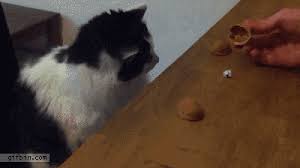
In the shell game, three or more identical containers (which may be cups, shells, coconut shells, etc.) are placed face-down on a surface.
|
|
A small ball or coin is placed beneath one of these containers so that it cannot be seen, and they are then shuffled by the operator in plain view.
|
|
One or more players are invited to bet on which container holds the ball .
|
|
Where the game is played honestly, the operator can win if he shuffles the containers in a way which the player cannot follow.
|
|
|
|
Here is a short video using _brains_ instead of shells: https://www.youtube.com/watch?v=N6UNLHZgwfs
|
|
|
|
Here is a playable shell game with betting: http://mistupid.com/games/shellgame.htm
|
|
|
|
|
|
|
|
* Generate your shells, cococunts, cups, or brains, etc. with jQuery. Make them inside a loop.
|
|
* Put a start button the page. When the button is pressed
|
|
* a random shell will get the ball and display it.
|
|
* The start button will now display 'shuffle'. Functionally, it will now be a shuffle button.
|
|
* When the shuffle button is pressed
|
|
* The positions of the shells on the page should change places in random order. Display the shells in their new order.
|
|
* The ball will not be displayed.
|
|
* when the user clicks on the correct shell
|
|
* The ball will reappear
|
|
* The shuffle button will change to a 'reset' button that will set the game back to its original state when clicked
|
|
|
|
|
|
|
|
## Remove cheating
|
|
Make it so the user cannot check in the 'Elements' tab to see which shell has the ball after they have been shuffled.
|
|
|
|
|
|
|
|
## User Stories
|
|
|
|
1. The user should be able to see where the 'ball' is originally.
|
|
2. The user should be able to start the shuffling sequence and follow (even if it's difficult) the card/coconut/cup/brain. The shuffling should be random.
|
|
3. The user should be able to then click the element, and the game should tell them whether or not they picked the correct one.
|
|
4. the user should be able to reset game and do it all over again.
|
|
|
|
## Animations
|
|
|
|
#### Fade
|
|
One of the simpler animation effects is the fade. If you fade out two cards and then fade them back in, you can create a way to visualize two cards switching.
|
|
|
|
#### Transitions and Transforms
|
|
A harder method is using transitions and transforms. Think about the location you want for each element and how to 'swap' these locations.
|
|
|
|
* You can set up transforms in your javascript using `jQuery.css()`
|
|
|
|
```
|
|
$(element).css({transform: 'translate(' + value + 'px)'});
|
|
$(element).css({transition: 'all 0.4s ease-in'});
|
|
```
|
|
|
|
* You can also use `jQuery.css()` to trigger css keyframes by giving the element the applicable `animation-name`
|
|
|
|
```
|
|
$(element).css({ animationName: 'name_of_keyframe_animation' });
|
|
```
|
|
|
|
#### Looping transforms
|
|
If you try to repeat transforms in a regular for loop, it might not work so well. The reason is that the loop is so quick that it will end before even the first transform has finished.
|
|
|
|
Try using a setTimeout to repeat the transforms, with the second parameter slightly longer than the duration of the transform:
|
|
|
|
```
|
|
var transformLoop = setTimeout(someFunction, 501);
|
|
```
|
|
|
|
Then you can stop the setTimeout using clearTimeout:
|
|
|
|
```
|
|
clearTimeout(transformLoop);
|
|
```
|
|
|
|
|
|
|
|
|
|
## Bonuses and Extras
|
|
|
|
- The user should be able to see how many times s/he has won.
|
|
- The amount of times the cards swap on a shuffle is randomized.
|
|
- The more times the user completes the game, the harder it gets (the faster the shuffle).
|
|
|
|
## Before you start writing code...
|
|
|
|
1. Write out the objects you think you'll need.
|
|
2. For each object, list its responsibilities. What data will it need to store? What methods will it need?
|
|
3. List all possible object-to-object interactions.
|
|
4. Draw a 'paper prototype' of the DOM model for your game. You'll use this to build it.
|
|
|
|
## Hints, Tips and Tricks
|
|
|
|
Here are some hints, tips and tricks that may or may not be applicable to you or the way you design your game, but they might help:
|
|
|
|
* Remember this crucial difference:
|
|
* `$('div')` will _select_ all `div`s on the page
|
|
* `$('<div>')` will _create_ a new `div`
|
|
<br>
|
|
* To stop an element from shifting down when text is added, try setting `overflow: hidden` to the css of that element.
|
|
|
|
* To stop inline-block elements from shifting due to the browser window size, try setting a `min-width` on the parent
|
|
|
|
* You can change the css of an element with jQuery `.css()`
|
|
http://www.w3schools.com/jquery/jquery_css.asp
|
|
|
|
* To check if an element has a particular `id`, look into jQuery `.is()`
|
|
|
|
* You can use variables to get an element with jQuery.
|
|
|
|
```
|
|
var someNumber = 1;
|
|
|
|
$('#' + someNumber)
|
|
|
|
// gets the element with an id of 1
|
|
```
|
|
|
|
|
|
* If you want a variable to be globally available to changes within your functions, define it first outside of your functions (it doesn't need to have a value)
|
|
|
|
```
|
|
var someNumber;
|
|
|
|
var giveValue = function() {
|
|
someNumber = 1;
|
|
}
|
|
```
|
|
|
|
* You can set up transforms using jQuery.css()
|
|
|
|
```
|
|
$(element).css({transform: 'translate(' + value + 'px)'});
|
|
$(element).css({transition: 'all 0.4s ease-in'});
|
|
```
|
|
|
|
* You can also use jQuery.css() to trigger css keyframes by giving the element the applicable `animation-name`
|
|
|
|
```
|
|
$(element).css({ animationName: 'name_of_animation' });
|
|
```
|
|
|
|
* If you need a function that will shuffle an array, it's fine to borrow one from StackOverflow. Alternatively, you could look into including the `underscore` library and using its shuffle method in your program. Remember, you can also select a random array index with `array[Math.floor(Math.random() * array.length)]`
|
|
|
|
* To make your cursor a pointer when you hover over an element, set its css to `cursor: pointer`.
|
|
|
|
* You can find the index of jQuery list items with `.index()` |